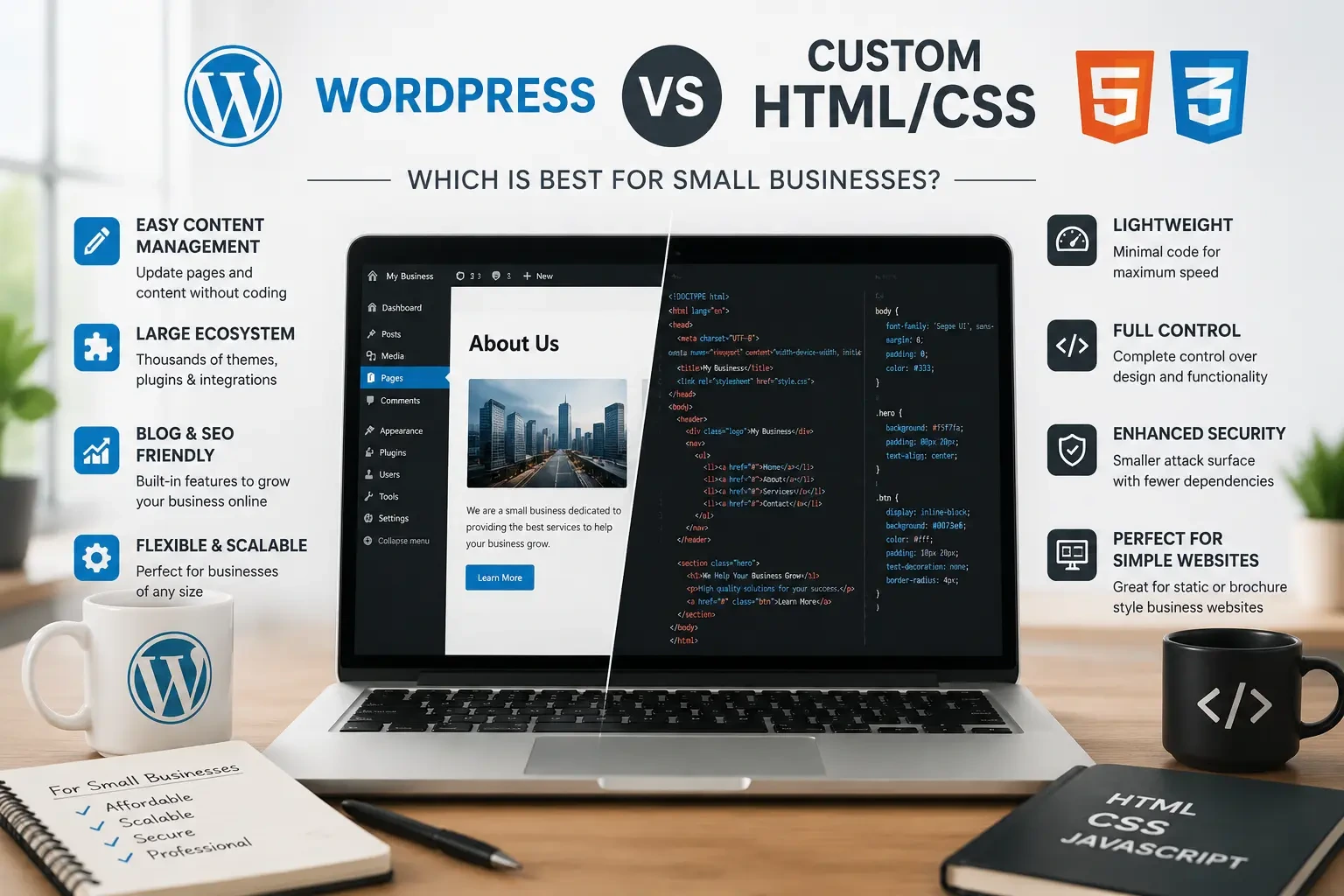
For many small businesses, WordPress is the more practical choice when you need to publish content, manage pages, run a blog, or make regular website updates without relying on a developer. A custom HTML/CSS website can be a strong option when the site is relatively simple and you want a lightweight, highly controlled front end with minimal CMS requirements.
If you're building a website for a small business, you may be wondering whether you should use WordPress or a custom HTML/CSS website.
There isn't one option that's automatically better for every business.
The right choice depends on how you plan to use and maintain your website.
What Is the Difference Between WordPress and HTML/CSS?
WordPress is a content management system (CMS). It gives business owners and marketing teams an interface for creating and managing website content without editing the underlying code every time.
HTML and CSS are fundamental web technologies used to structure and style webpages. A custom HTML/CSS website is typically developed specifically for the business rather than relying on a traditional CMS.
WordPress: easier content management and a large ecosystem of themes, plugins, and tools.
HTML/CSS: greater direct control over the front-end code and a potentially very lightweight website.
It's also worth noting that modern websites don't have to fit neatly into only these two categories. Developers can use frameworks, static site generators, headless CMS platforms, and other architectures depending on project requirements.
WordPress vs HTML/CSS: Quick Comparison
| Factor | WordPress | Custom HTML/CSS |
|---|---|---|
| Content editing | Easy for non-developers | Usually developer-dependent |
| Design flexibility | High | Very high |
| Performance | Can be excellent when optimized | Can be extremely lightweight |
| Blogging | Built in | Requires additional implementation |
| Plugins | Large ecosystem | No traditional plugin ecosystem |
| Maintenance | Core, theme and plugin updates | Usually fewer CMS updates |
| Security | Requires ongoing maintenance | Smaller attack surface in many setups |
| Best for | Content-driven businesses | Lightweight or highly controlled sites |
WordPress for Small Businesses
WordPress is popular with businesses because it makes managing website content relatively simple. A business owner or marketing team can typically create or edit pages, publish blog posts, upload images, and manage other content without changing the site's source code.
Advantages of WordPress
Easy Content Management
If your business regularly publishes blogs, service updates, case studies, or landing pages, having a CMS can save time.
Large Ecosystem
WordPress has a large ecosystem of themes, plugins, developers, and integrations. This makes it possible to add functionality without building every feature from scratch.
Good for Content Marketing
Businesses that rely on blogs and organic search can benefit from having a straightforward publishing workflow.
Flexible
WordPress can be used for everything from a small service-business website to a much larger content-driven website or e-commerce store.
Potential Disadvantages
WordPress also comes with additional maintenance requirements. Themes, plugins, and WordPress itself need to be kept updated. Poorly maintained or incompatible plugins can create security, compatibility, or performance problems.
That doesn't mean WordPress is inherently slow or insecure. The quality of the hosting, theme, plugins, configuration, development, and ongoing maintenance all matter.
Custom HTML/CSS Websites for Small Businesses
A custom HTML/CSS website gives a developer direct control over the front-end structure and styling. For a relatively simple website that doesn't need frequent content changes, this approach can be efficient.
Advantages of HTML/CSS
Lightweight
A carefully built static website can have very little overhead and can load extremely quickly.
High Level of Control
Developers have direct control over the HTML, CSS, JavaScript, assets, and page structure.
Fewer CMS Dependencies
A simple static website doesn't need a traditional database-driven CMS or a collection of plugins.
Good for Focused Websites
A business with a small number of pages and infrequent content changes may not need the features of a full CMS.
Potential Disadvantages
The biggest limitation for many small businesses is content management. If you want to change service pages, publish blogs, create landing pages, or update content regularly, you may need a developer unless the site is connected to a CMS or another editing system.
That can add ongoing development costs and make routine marketing changes less convenient.
Which Is Cheaper: WordPress or HTML/CSS?
Neither platform is automatically cheaper.
A WordPress website can have a lower initial development cost because developers can use existing themes, plugins, and established CMS functionality.
A custom HTML/CSS website may require more development work upfront, particularly when the design and functionality are built from scratch.
However, initial cost isn't the same as total cost of ownership.
When comparing options, consider:
- Development
- Hosting
- Software licenses
- Maintenance
- Security updates
- Content changes
- SEO work
- New features
- Developer time
A website that costs less to build may not necessarily cost less to operate over several years.
Is WordPress Faster Than HTML/CSS?
A well-built static HTML/CSS website can be extremely fast because it can avoid some of the processing and dependencies associated with a dynamic CMS.
However, it would be misleading to say that every HTML website is faster than every WordPress website. A lightweight, well-optimized WordPress website can perform very well, while a poorly developed custom website can also have performance problems.
Factors such as image sizes, JavaScript, CSS, hosting, caching, fonts, third-party scripts, and page structure can all affect real-world performance.
Which Is Easier to Maintain?
For content updates, WordPress usually has the advantage. You can log into the dashboard and make many common changes without touching code.
With a custom HTML/CSS website, even a simple text or image change may require a developer unless an editing system has been added.
However, WordPress has its own maintenance requirements. Core software, themes, and plugins need regular attention.
So the maintenance question really has two sides:
Content maintenance: WordPress is generally easier.
CMS/software maintenance: WordPress requires regular updates and monitoring.
A simple static website can require less routine software maintenance, but changes may be more dependent on a developer.
Is WordPress More Secure Than HTML/CSS?
Security depends on implementation rather than simply choosing one platform.
WordPress websites can face risks from outdated core software, vulnerable plugins, weak passwords, poor hosting configurations, or insecure custom code.
A simple static website can have a smaller attack surface because it may not rely on a database or server-side plugin ecosystem.
But static doesn't mean completely immune to security problems. Hosting accounts, domains, third-party services, deployment systems, and other components still need to be secured.
The important question is: How will the website be built, hosted, updated, and maintained?
Which Is Better for SEO: WordPress or HTML/CSS?
Google doesn't give a website a ranking advantage simply because it uses WordPress or HTML/CSS. Search performance depends on many factors, including useful content, search intent, site structure, technical SEO, page experience, mobile usability, internal linking, backlinks and authority, and website performance.
A well-optimized WordPress website can rank well. A well-built HTML/CSS website can also rank well. The platform is only one part of the technical setup.
Choose WordPress If...
WordPress may be a good fit if:
- You publish blogs regularly
- Your marketing team needs to update pages
- You plan to create landing pages
- You need an easy content management system
- You want access to a large plugin ecosystem
- You need WooCommerce or other integrations
- Your website will continue growing
For content-driven businesses, the ability to make changes without opening a developer ticket can be a major advantage.
Choose Custom HTML/CSS If...
A custom HTML/CSS website may make sense if:
- Your website has relatively few pages
- Content changes are infrequent
- You want a highly controlled front-end implementation
- You don't need a traditional CMS
- Lightweight performance is a major priority
- You already have a developer managing the site
This can work particularly well for focused websites where the content and functionality are unlikely to change frequently.
What About a Headless CMS or Static Site Generator?
You don't necessarily have to choose between a traditional WordPress website and a completely hand-coded site.
A headless WordPress setup, static site generator, or modern framework such as Astro or Next.js can combine different parts of these approaches.
For example, a business could use a CMS for content management while delivering highly optimized pages through a modern front-end architecture.
However, these setups can also introduce additional development complexity. They're generally more appropriate when a business has a specific technical requirement and needs custom web development, rather than simply because the technology is newer.
Which Website Should a Small Business Choose?
There isn't one universal answer. The better choice depends on how often your website will change, who will manage it, what functionality you need, and how much flexibility you expect in the future.
WordPress is often the practical choice when content management and marketing flexibility are priorities. Businesses that publish articles, add service pages, create landing pages, or regularly update content can benefit from having a CMS.
Custom HTML/CSS may be a better fit when you need a relatively simple, lightweight website, content changes are infrequent, and you don't need a traditional CMS.
What About Website Accessibility?
Accessibility is worth considering regardless of which technology you choose. Clear heading structures, keyboard-friendly navigation, readable text, sufficient color contrast, descriptive image alternatives, and accessible forms can make a website easier to use for more people.
Businesses should assess the accessibility requirements that apply to their organization and website rather than assuming that choosing WordPress or HTML/CSS automatically makes a site accessible.
Talk to a web development specialist →
Frequently Asked Questions
Is WordPress better than HTML for a small business?
WordPress is often better for businesses that regularly update content, publish blogs, or need a CMS. A custom HTML/CSS website can be a better fit for a simple website where content changes are infrequent and lightweight performance is a priority.
Is HTML/CSS cheaper than WordPress?
Not necessarily. WordPress can reduce development time by providing existing CMS functionality, while custom HTML/CSS may require more development work upfront. The total cost depends on development, maintenance, hosting, updates, and future changes.
Does WordPress rank higher on Google than HTML?
No. Google does not rank websites simply based on whether they use WordPress or HTML/CSS. Content quality, relevance, technical SEO, site structure, performance, authority, and many other factors influence search visibility.
Is WordPress slower than HTML?
A static HTML/CSS website can be extremely lightweight, but WordPress can also be fast when properly developed and optimized. The actual implementation matters more than the platform name alone.
Can I move from HTML/CSS to WordPress later?
Yes. Existing HTML/CSS designs can be converted into a WordPress theme or rebuilt within WordPress. The complexity and cost depend on the existing site's design, content structure, and functionality.
Is WordPress secure?
WordPress can be secure when it is properly configured and maintained. Regular updates, secure hosting, strong authentication, reliable plugins, backups, and good development practices are important.
Should a local business use WordPress?
If the business plans to publish content, add service pages, manage landing pages, or make frequent updates, WordPress can be a practical option. For a very small website that rarely changes, a static approach may also work well.
Final Takeaway
There is no universal winner in the WordPress vs HTML/CSS debate. For many small businesses, WordPress offers a convenient combination of content management, flexibility, integrations, and scalability.
Custom HTML/CSS can be an excellent choice for businesses that want a focused, lightweight website and don't need a traditional CMS. Before choosing a platform, think about how often your website will change, who will manage it, what functionality you need, and what you expect the website to become over the next few years.
Need Help Choosing the Right Website Approach?
Choosing between WordPress and custom HTML/CSS is easier when you compare the actual requirements rather than the technology alone. Define your pages, content needs, features, integrations, performance goals, and maintenance expectations before requesting a development proposal.


