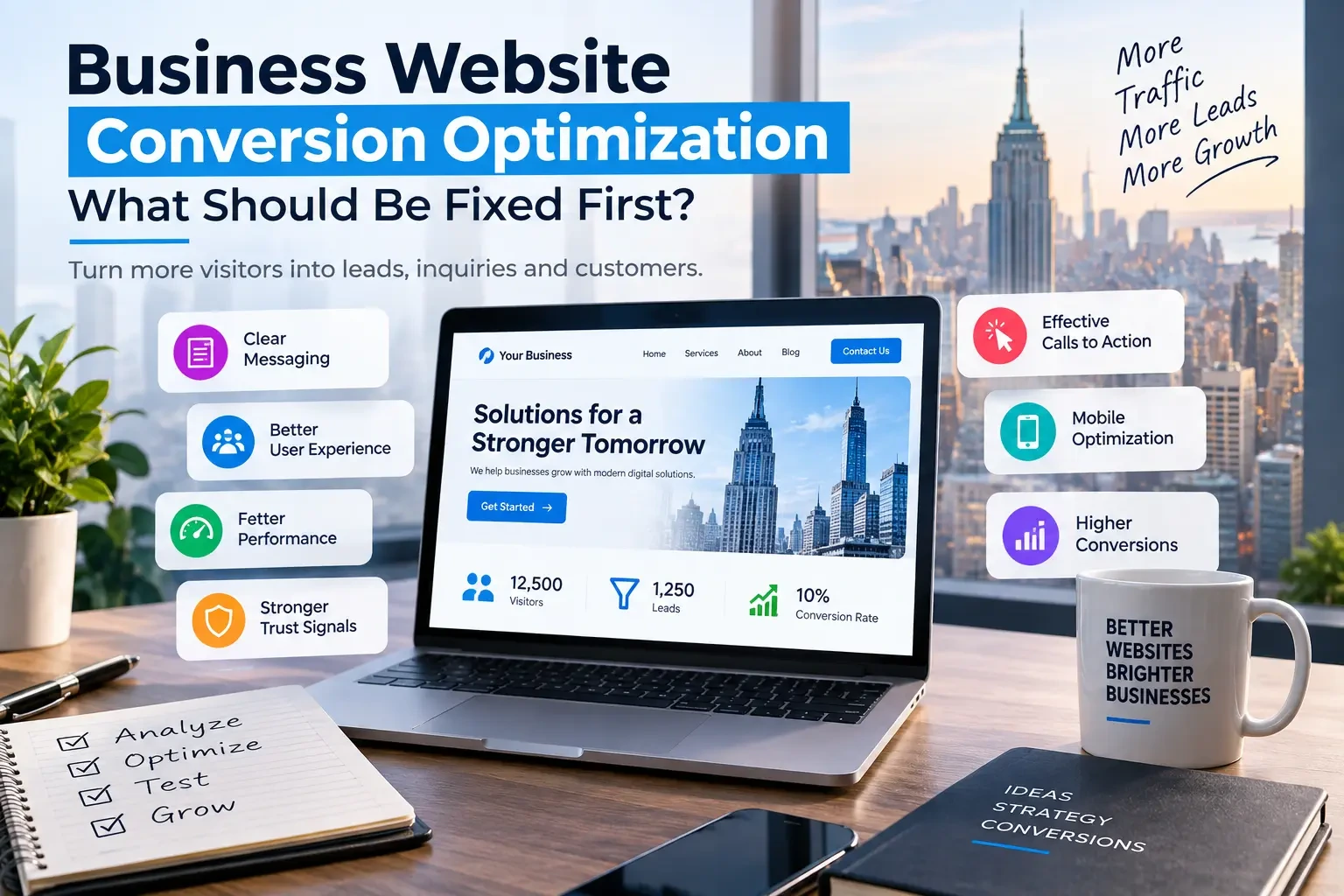
A business website can receive visitors every day and still generate too few leads, calls, bookings, or sales. The problem is often not a lack of traffic but friction somewhere between the first visit and the desired action. Website conversion optimization focuses on finding those barriers and improving the parts of the website that have the greatest effect on business results.
Why Traffic Alone Does Not Guarantee Conversions
Website traffic is only the beginning of the customer journey. Visitors still need to understand what the business offers, trust the company, find the information they need, and know what to do next. If the message is unclear, the navigation is confusing, the website is difficult to use on mobile, or the contact process creates friction, a business can lose potential customers even when its traffic numbers look healthy.
What Is Website Conversion Optimization?
Website conversion optimization is the process of improving a website so that a larger share of relevant visitors complete a valuable business action. Depending on the company, that action could be submitting a contact form, requesting a quote, making a purchase, booking an appointment, calling the business, or starting a sales conversation. The goal is not simply to make a website look better, but to make the path from visitor to customer clearer and easier.
Why Is Your Website Getting Traffic but Not Conversions?
A website may struggle to convert because visitors do not immediately understand the value being offered, the primary call to action is weak, important information is difficult to find, or trust signals are missing. Technical problems such as slow pages, broken forms, poor mobile usability, and confusing navigation can create additional friction. In some cases, the website itself is not the main problem; the traffic may simply be reaching pages that do not match the visitor's search intent.
What Should You Fix First on a Business Website?
The most effective approach is to fix the issues closest to the conversion decision first. Start with the value proposition and primary call to action, then examine mobile usability, trust signals, contact forms, page speed, navigation, landing-page alignment, content quality, and measurement. This order helps businesses focus limited time and budget on changes that can remove meaningful barriers instead of spending heavily on cosmetic improvements that may have little effect on leads or sales.
1. Fix Your Website's Value Proposition First
The first few seconds of a website visit should make it clear what the business does, who it serves, and why a visitor should take the next step. A strong value proposition connects the customer's problem with a specific outcome rather than relying on generic statements such as “quality service” or “innovative solutions.” Review the main headline, supporting copy, service descriptions, and above-the-fold content to make sure the website communicates a clear reason to continue.
2. Improve Your Calls to Action
A visitor should not have to search for the next step. Strong calls to action use clear language that reflects the action the business actually wants visitors to take, such as “Request a Quote,” “Book a Consultation,” or “Get Started.” The CTA should also appear at logical points throughout the user journey instead of being limited to one button at the top or bottom of the page.
3. Make the Website Easier to Use on Mobile
Mobile usability can directly affect whether visitors stay long enough to understand an offer and take action. Buttons need to be easy to tap, text should remain readable without zooming, forms should work smoothly, and important information should not be buried below excessive visual elements. A mobile-first review should focus on the actual journey from landing page to conversion rather than simply checking whether the desktop design technically fits a smaller screen.
4. Add Trust Signals Where Visitors Need Them
Visitors often need evidence before they submit a form, make a purchase, or contact an unfamiliar company. Relevant testimonials, reviews, case studies, client logos, certifications, guarantees, clear contact information, and transparent business details can reduce uncertainty. Trust signals work best when they appear close to the decision they support, such as placing customer evidence near a consultation CTA or proof of expertise beside a service offering.
5. Reduce Friction in Contact and Lead Forms
A form that asks for too much information can turn an interested visitor into a lost lead. Review every field and ask whether it is genuinely necessary at the first stage of the conversation. Clear labels, helpful error messages, logical field order, mobile-friendly inputs, and a visible confirmation after submission can make the process easier. Businesses should also verify that submissions actually reach the right team and are being tracked correctly.
6. Improve Website Speed and Technical Performance
Slow pages can reduce engagement before visitors even evaluate the offer. A conversion-focused redesign should review image sizes, scripts, hosting, caching, mobile rendering, Core Web Vitals, third-party tools, and unnecessary code. The goal is not simply to obtain a better performance score but to create a faster experience on the devices and connections your customers actually use.
A Google-commissioned Deloitte study on mobile site speed found that a 0.1-second improvement was associated with an 8.4% increase in retail conversions.. The study analyzed mobile-site data across retail, travel, luxury, and lead-generation brands in Europe and the U.S.
7. Fix Navigation and User Journeys
A website should guide visitors toward the information and actions that matter rather than forcing them to figure out the structure themselves. Review the main navigation, service categories, internal links, page hierarchy, breadcrumbs where appropriate, and the path from a landing page to a conversion. If a visitor has to click through several unrelated pages before finding pricing, services, contact information, or proof of expertise, the journey may need to be simplified.
How Do You Know What Should Be Fixed First?
Prioritization becomes easier when each potential improvement is evaluated according to its likely business impact, conversion opportunity, and implementation effort. A practical editorial framework is: Priority = Business Impact × Conversion Opportunity × Ease of Implementation. This is a prioritization framework for planning website improvements, not an industry-standard mathematical formula, so businesses should combine it with analytics, user feedback, technical audits, and actual testing.
Start With Problems Closest to the Conversion
If visitors reach a service page but do not contact the business, improving the service-page message and CTA may deserve attention before redesigning the entire website. If visitors abandon a form, simplifying the form may have more immediate value than changing the site's color palette. The closer an issue is to a measurable conversion barrier, the more carefully it should be evaluated before lower-impact design changes are prioritized.
Separate Cosmetic Problems From Conversion Problems
Not every website issue has the same commercial importance. A dated visual style may affect credibility, but a broken contact form can directly prevent a qualified prospect from reaching the sales team. Likewise, a small typography issue may be less urgent than unclear service messaging or a CTA that visitors cannot find. Conversion optimization works best when business impact is considered alongside visual quality.
Website Conversion Optimization Audit Checklist
A useful conversion audit should examine the website from the visitor's perspective as well as from the business's operational perspective. Review whether the messaging is clear, the primary CTA is obvious, navigation is intuitive, mobile pages work properly, forms are simple, trust signals are visible, pages load efficiently, important content matches search intent, and conversion events are being measured.
| Area | What to Check | Typical Improvement |
|---|---|---|
| Messaging | Value proposition and headline clarity | Rewrite core messaging |
| CTA | Visibility and relevance | Improve CTA wording and placement |
| UX | Navigation and usability | Simplify user journeys |
| Mobile | Layout, buttons and forms | Improve responsive experience |
| Forms | Number of fields and errors | Reduce friction |
| Trust | Reviews, proof and credentials | Add relevant trust signals |
| Speed | Loading and responsiveness | Improve technical performance |
| Content | Search intent and objections | Strengthen useful content |
| Analytics | Conversion tracking | Measure important actions |
What Metrics Should You Track?
Conversion optimization should be measured against business outcomes rather than page views alone. Depending on the business model, useful metrics can include form submissions, phone calls, bookings, qualified leads, purchases, CTA clicks, landing-page conversion rates, and form abandonment. Supporting metrics such as engagement and page performance can help explain why a conversion problem exists, but the primary measurement should remain connected to the action that creates business value.
Connect Analytics to Real Business Outcomes
A website may report hundreds of form submissions while the sales team receives very few qualified opportunities. For that reason, businesses should connect website measurements with the quality of the leads generated wherever their systems allow it. The goal is to understand not only whether visitors are taking an action, but whether that action contributes to meaningful business results.
Why User Experience Matters to Conversion Optimization
User experience influences how easily visitors understand information, move through the website, and complete important tasks. Navigation, content hierarchy, accessibility, responsive layouts, forms, interaction patterns, and page structure should work together rather than being treated as isolated design elements.
For businesses that need deeper research, interface planning, and usability improvements, UI/UX design services can provide a more structured approach to improving the user journey.
When Conversion Optimization Requires Technical Improvements
Some conversion problems cannot be solved through copy or design alone. A website may need improvements to its frontend performance, CMS, integrations, forms, analytics implementation, APIs, or other technical components. When technical limitations are preventing important user journeys from working reliably, professional website development services can address the underlying implementation rather than applying another temporary visual fix.
How Do You Know What to Fix First?
The first priority should be the problem that creates the largest measurable gap between website traffic and business results. Start by reviewing conversion data, landing-page performance, mobile usability, page speed, forms, calls to action, and the clarity of the offer. A redesign is more effective when improvements are prioritized around business outcomes rather than visual preferences alone.
Start With Your Highest-Value Conversion Path
Identify the action that matters most to the business, whether that is submitting a lead form, booking a consultation, requesting a quote, purchasing a product, or starting a trial. Then trace the journey backward from that action and identify where visitors hesitate, leave, or become confused. This gives the redesign a measurable priority instead of treating every page as equally important.
Improve Website Speed and Technical Performance
Slow pages can reduce engagement before visitors even evaluate the offer. A conversion-focused redesign should review image sizes, scripts, hosting, caching, mobile rendering, Core Web Vitals, third-party tools, and unnecessary code. The goal is not simply to obtain a better performance score but to create a faster experience on the devices and connections your customers actually use.
A Google-commissioned Deloitte study found that a 0.1-second improvement in mobile site speed was associated with an 8.4% increase in retail conversions, showing why performance can be treated as a business issue rather than only a technical one.
Make the Website Easier to Use on Mobile
A website can look polished on a desktop screen and still create friction for mobile visitors. Check navigation, button size, form fields, text readability, sticky elements, menus, page spacing, and the number of steps required to complete the primary action. Mobile optimization should be evaluated using real user journeys rather than simply checking whether the layout technically responds to a smaller screen.
A strong redesign should combine conversion strategy with professional UI/UX design so that visitors can move through important tasks without unnecessary friction.
Clarify the Value Proposition Above the Fold
Visitors should understand what the business offers, who it serves, and what they should do next without having to search through several sections of the page. A stronger hero section usually combines a clear value proposition, supporting context, relevant proof, and one primary call to action. If the headline is clever but does not explain the business value, the redesign has not solved the communication problem.
Strengthen Calls to Action
Calls to action should tell visitors exactly what happens next. Instead of using vague labels such as “Submit” or “Learn More” everywhere, use action-oriented language that matches the user's intent, such as “Request a Quote,” “Book a Consultation,” “View Pricing,” or “Start Your Project.” The CTA should also be visually distinct without competing with several equally prominent actions.
Reduce Friction in Lead Forms
Long or confusing forms can turn high-intent visitors into abandoned sessions. Review every field and ask whether the information is genuinely necessary at that stage of the buying journey. For many businesses, a shorter first-step form followed by qualification later can create a better balance between lead quality and conversion volume.
Build Trust Before Asking for the Conversion
A visitor who does not know the company has little reason to submit information or make a purchase. Use relevant testimonials, client results, case studies, certifications, guarantees where appropriate, clear contact information, privacy information, and other credible trust signals. These elements should support the buying decision rather than appear as decorative badges with no context.
Improve Content Structure and Readability
Website copy should help visitors reach a decision quickly. Break large sections into descriptive headings, concise paragraphs, useful examples, supporting proof, and clear next steps. Important information should not be buried beneath generic marketing language. The redesign should make the content easier to scan while preserving the depth needed by visitors who are evaluating a serious purchase.
Use Analytics to Measure What Changes
A redesign should not end when the new website goes live. Analytics should track meaningful actions such as form submissions, calls, purchases, bookings, quote requests, downloads, and qualified leads. Establish the baseline before the redesign so that post-launch performance can be compared against the previous site instead of relying on opinions about whether the new design “feels better.”
Need Help Finding Your Biggest Conversion Problems?
Request a Website Conversion Audit →
How Much Does Website Conversion Optimization Cost?
There is no single universal conversion optimization price because the scope can range from a focused landing-page audit to a broader website redesign involving UX, content, analytics, development, testing, and technical improvements. The right budget depends on the number of pages involved, the quality of existing analytics, the number of conversion paths, the amount of testing required, and whether development changes are needed.
For that reason, businesses should compare optimization proposals by deliverables and expected outcomes rather than choosing the lowest hourly or project price.
What Usually Changes the Budget?
A small optimization engagement may focus on analytics, messaging, landing pages, calls to action, and form improvements. A larger engagement can involve information architecture, UX research, new designs, front-end development, backend integrations, technical SEO, performance work, analytics implementation, and ongoing experimentation. The more areas that require hands-on implementation, the larger the project becomes.
When Should You Redesign the Website Instead of Optimizing It?
Optimization is often appropriate when the current website has a workable structure, stable technology, useful content, and enough traffic to identify specific problems. A redesign becomes more appropriate when the platform is outdated, the information architecture is confusing, the design creates widespread usability problems, the mobile experience is poor, or technical limitations prevent meaningful improvements.
Website Redesign vs. Conversion Optimization
Website redesign and conversion optimization are related but not identical. A redesign changes the structure, visual experience, content presentation, technology, or other parts of the website, while conversion optimization focuses on improving the percentage of visitors who complete important actions. Some businesses need both, but they should not automatically rebuild an entire website when targeted improvements could solve the underlying problem.
If you are evaluating the broader investment required for a complete redesign, compare the project against our guide to website redesign cost in New York before requesting quotes.
How Should Businesses Prioritize Conversion Improvements?
A practical prioritization framework is to consider potential business impact, implementation effort, evidence of the problem, and confidence that the change will improve the user journey. This is an editorial prioritization framework rather than an industry-standard formula, but it gives teams a consistent way to decide which improvements deserve attention first.
Fix High-Impact Problems Before Cosmetic Details
Broken forms, unclear offers, poor mobile usability, slow pages, confusing navigation, and weak calls to action generally deserve attention before minor color or spacing adjustments. Visual polish matters, but it should support a website that already communicates clearly and allows users to complete important tasks efficiently.
Test Important Changes Instead of Guessing
When traffic volume and analytics support it, testing can help determine whether a change actually improves performance. Test one meaningful variable at a time when possible, define the success metric before launching the experiment, and avoid treating a short-term fluctuation as proof. Not every business has enough traffic for statistically reliable A/B testing, so qualitative research and analytics review can also play important roles.
What Should a Conversion Optimization Audit Include?
A useful audit should examine the business objective, audience, analytics configuration, landing pages, navigation, messaging, calls to action, forms, mobile experience, page speed, trust signals, content structure, technical SEO, and the main conversion funnel. The final report should distinguish observed problems from assumptions and rank recommendations according to their likely business impact.
What Should You Ask Before Hiring a Conversion Optimization Partner?
Ask how the provider identifies problems, what data they require, which metrics they will measure, what implementation work is included, how experiments are designed, and how results will be reported. Also clarify who owns the analytics accounts, design files, code, research, experiment history, and other project assets after the engagement ends.
Before signing, use a practicalwebsite development company buyer's checklist to compare scope, ownership, delivery responsibilities, and technical requirements.
How Can You Reduce Conversion Optimization Costs?
Start by focusing on the highest-value conversion path instead of attempting to change every page simultaneously. Reuse existing content and components where they are still effective, fix technical problems before commissioning unnecessary visual work, and define the success metrics before development begins. A narrower scope with clear priorities is usually more efficient than a large project with unclear objectives.
Avoid Paying to Fix Problems You Have Not Measured
Before approving major changes, review analytics, search data, heatmaps where appropriate, user recordings where privacy requirements allow, form data, customer feedback, and sales-team observations. Evidence does not eliminate judgment, but it helps separate actual conversion problems from internal preferences about colors, layouts, or copy.
Keep SEO During Conversion Optimization
Conversion improvements should not accidentally remove the search visibility that brings qualified visitors to the website. Preserve important URLs and content, maintain internal links, review metadata, protect canonicalization, and monitor organic traffic after major changes. If URLs must change, create and test the appropriate redirects before launch.
For technical guidance on protecting search visibility when making major site changes, consultGoogle Search Central before deployment.
Protect Accessibility While Improving Conversions
Conversion optimization should not make a website harder to use for people who rely on keyboards, screen readers, sufficient color contrast, or other accessibility features. Forms, navigation, buttons, headings, error messages, focus states, and interactive elements should be reviewed as part of the overall user experience rather than treated as an afterthought.
Use the W3C Web Accessibility Initiative guidance as a reference when reviewing accessibility requirements during a website optimization project.
Make Performance Part of the Redesign Scope
Performance should be considered during design and development rather than left as a final cleanup task. Large images, unnecessary JavaScript, excessive third-party scripts, inefficient fonts, poor caching, and slow server responses can all affect the experience. A performance budget and clear measurement process help the team make trade-offs before technical debt becomes expensive.
Teams can use web.dev as a practical reference for Core Web Vitals and modern web performance practices.
Keep Your Conversion Goals Tied to Business Metrics
More form submissions are not automatically better if the additional submissions are unqualified. A successful optimization program should connect website behavior with business outcomes such as qualified leads, booked meetings, revenue, average order value, or customer acquisition efficiency. The right metric depends on the business model and sales process.
What Does a Final Conversion Optimization Checklist Look Like?
Before considering the project complete, confirm that the primary conversion paths work on desktop and mobile, forms send information to the correct destination, analytics record important events, calls to action are clear, pages load efficiently, navigation works, important SEO elements remain intact, accessibility issues have been reviewed, and tracking has been tested in the production environment.
Conversion Checklist
The final review should confirm the offer is clear, important pages have a defined purpose, calls to action are visible, forms are usable, trust signals are relevant, mobile layouts work correctly, performance has been measured, analytics events fire correctly, important redirects are tested, and the sales team can actually receive and act on new leads.
What Are the Biggest Website Conversion Mistakes?
Common mistakes include redesigning without reviewing analytics, focusing on appearance instead of customer problems, using too many calls to action, hiding important information, making forms unnecessarily long, ignoring mobile performance, removing useful SEO content, and launching without testing the complete conversion journey. Another common mistake is measuring traffic while failing to measure qualified business outcomes.
How Long Does Conversion Optimization Take?
The timeline depends on whether the work involves strategy only, targeted page improvements, design changes, development, experimentation, or a full redesign. A focused audit can be completed much faster than a complete website rebuild. Businesses should therefore ask providers to divide the work into phases and identify what will be delivered in each phase rather than accepting a single vague timeline.
Should Small Businesses Optimize or Redesign Their Website?
Small businesses should begin with the least disruptive solution that can address the underlying problem. If the current site is technically sound and the main issue is unclear messaging or weak conversion paths, targeted optimization may be enough. If the site is outdated, difficult to maintain, poorly structured, or fundamentally incompatible with the business goals, a redesign may create more long-term value.
When Should You Hire a Web Development Team?
A development team becomes particularly useful when conversion improvements require custom functionality, integrations, performance engineering, CMS changes, complex forms, customer portals, or other technical work beyond simple content editing. Businesses should choose a team that can explain the technical dependency behind each recommendation rather than simply presenting a list of design changes.
If your conversion problems require custom engineering rather than isolated page edits, hire web developers who can handle the technical implementation as well as the launch process.
How Do You Compare Conversion Optimization Proposals?
Compare proposals based on the problem being solved, research included, pages covered, design and development responsibilities, analytics work, testing methodology, implementation support, reporting, ownership, timeline, and exclusions. Two providers can quote very different prices while technically offering the same “conversion optimization” service, so the real comparison is what each proposal actually includes.
What Should a Business Avoid in a Conversion Optimization Contract?
Avoid vague deliverables, undefined success criteria, unclear ownership, missing exclusions, automatic long-term retainers, and promises of guaranteed conversion increases. The contract should identify what is being changed, who implements it, how results are measured, what happens when a test fails, and who owns the resulting assets.
How Can a Website Turn More Visitors Into Leads?
A website converts more visitors when the right audience quickly understands the offer, trusts the business, can find the information they need, and has a simple path toward the next action. Improving conversion therefore requires more than adding buttons. Messaging, UX, content, performance, trust, forms, analytics, and technical reliability all work together.
Frequently Asked Questions
Why is my business website getting traffic but not generating leads?
Traffic does not guarantee conversions. The problem may be unclear messaging, weak calls to action, poor mobile usability, slow pages, irrelevant traffic, complicated forms, weak trust signals, or a mismatch between the visitor's intent and the page content. Review the complete conversion path before assuming that more traffic is the answer.
What should I fix first on my business website?
Start with the highest-value conversion path and identify the biggest measurable obstacle. Review messaging, calls to action, forms, mobile usability, page speed, trust signals, analytics, and the landing pages receiving the most qualified traffic. Fix high-impact problems before spending heavily on cosmetic changes.
Does website redesign improve conversion rates?
It can, but a redesign does not automatically improve conversions. Results depend on whether the new website actually addresses the problems that prevented visitors from taking action. A redesign should therefore be guided by user behavior, business goals, analytics, content strategy, usability, and technical performance rather than visual preferences alone.
Sources & References
This article draws on official documentation and published industry research to explain website conversion, SEO, accessibility, performance, and redesign considerations. Source figures and guidance should be interpreted according to their original methodology and publication date.
Sources:
Google Search Central — SEO and website migration guidance
W3C Web Accessibility Initiative — Web accessibility standards and guidance
Deloitte Digital — Google-commissioned research on mobile site speed and retail conversion
GoodFirms — Website design and development industry pricing and provider research
Clutch — Web design and development industry research


