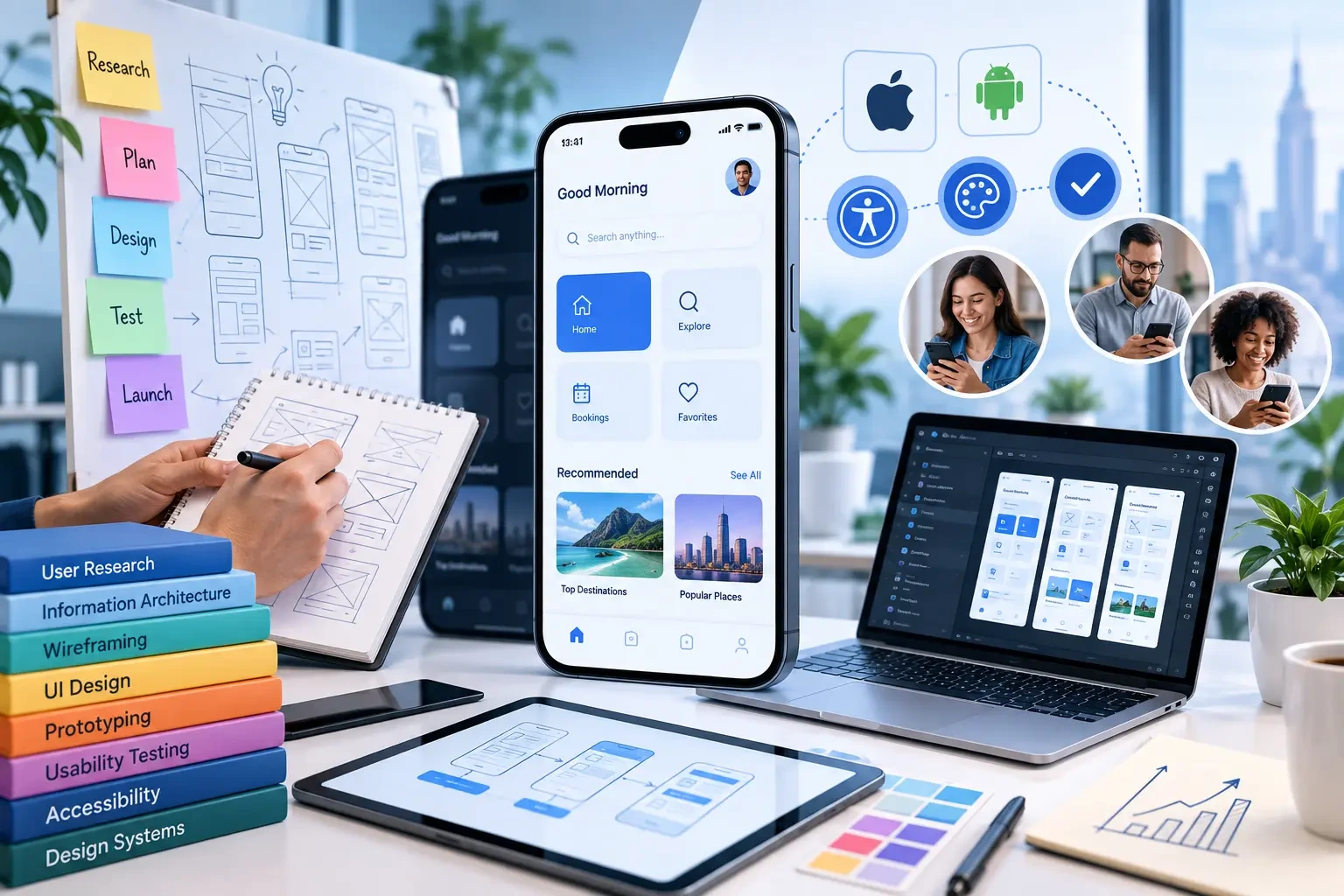
Mobile app UI/UX design in the USA is about more than making an app look polished. Good UX helps people understand what to do, complete important tasks with less friction, and recover when something goes wrong. Good UI turns that experience into a clear, consistent visual system across iPhone and Android.
For a startup or established business, the strongest design process connects user research, information architecture, interaction design, visual design, prototyping, accessibility, and testing before development is treated as finished. A strong UI/UX design agency should begin with the product problem, target users, and business goals rather than jumping straight into screens.
The right design process makes the product easier to use while giving developers a clearer specification for what needs to be built. If you are looking for a team to help with this process, explore our UI/UX design agencyservices.
What Is Mobile App UI/UX Design?
UX, or user experience, covers how a person moves through an app, understands its information, completes tasks, and responds to feedback. UI, or user interface, covers the visual and interactive layer: typography, color, spacing, buttons, forms, navigation, icons, states, and reusable components.
UI and UX work together. A visually attractive screen can still create poor UX when the navigation is confusing, important actions are hidden, or error states are unclear. Likewise, a well-researched user flow can feel unfinished when the interface lacks hierarchy, consistency, or accessible interaction patterns.
UI vs. UX vs. Product Design: What's the Difference?
UI design focuses on the interface users see and interact with. UX design focuses on how the product works as an experience, including user flows, information architecture, usability, and interaction patterns. Product design takes a broader view by connecting user needs, business goals, product requirements, UX, UI, and decisions about what the product should deliver.
For a mobile app project, these disciplines overlap but are not interchangeable. A strong product team may use all three perspectives: product thinking to define the right problem, UX design to structure the experience, and UI design to make that experience clear and consistent.
Why Mobile UI/UX Matters for US Businesses
For U.S. businesses, mobile UI/UX should also account for accessibility, privacy-sensitive interactions, device diversity, and the expectations users bring from familiar digital products. These considerations should be part of the design process rather than treated as last-minute requirements.
The goal is not simply to create attractive screens. The goal is to make important actions clear, predictable, accessible, and easy to complete across the devices and situations in which people actually use the product.
Mobile App UI/UX Design Process
A structured design process helps teams make important decisions before development becomes expensive to change. The exact workflow can vary by product, but a strong mobile app UI/UX process typically moves through research, information architecture, user flows, wireframes, visual design, prototyping, usability testing, and developer handoff.
1. Discovery and User Research
The process starts by defining the target users, business goals, product assumptions, constraints, and the most important jobs the app needs to support. Research can include stakeholder interviews, user interviews, competitor analysis, existing product data, and other appropriate discovery methods.
2. Information Architecture
Information architecture organizes content, navigation, permissions, and relationships between screens so the product has a predictable structure. A clear information architecture makes it easier for users to understand where they are and where they can go next.
3. User Flows and Wireframes
User flows map the primary journeys a person needs to complete, such as signing up, searching, purchasing, booking, submitting information, or managing an account. Wireframes then provide a simple visual structure for those journeys before the team invests in detailed visual design.
4. Visual UI Design
Visual UI design turns the approved structure into a consistent interface. This stage can include typography, spacing, color, icons, imagery, buttons, forms, navigation patterns, reusable components, and different interface states such as loading, success, empty, offline, and error conditions.
5. Interactive Prototyping
An interactive prototype connects important screens so stakeholders and potential users can experience the core flow before development begins. Prototyping makes it easier to identify confusing interactions and discuss changes while they are still relatively inexpensive to make.
6. Usability Testing
Usability testing involves observing users as they attempt important tasks. The purpose is to identify friction, confusion, unclear instructions, navigation problems, and other issues that may not be obvious to the product team. Findings should be used to revise the design before development or during later iterations.
7. Developer Handoff and Design QA
A useful handoff includes more than a collection of static screens. Developers should receive the relevant components, specifications, assets, interaction behavior, responsive considerations, states, and edge cases. Design QA can then compare the implemented product with the intended experience and identify inconsistencies before release.
What Should a Good Mobile App Design Include?
| Area | What to Look For | Why It Matters |
|---|---|---|
| Onboarding | Clear value, focused setup, permission timing | Gets users to the first useful action |
| Navigation | Predictable hierarchy and clear destinations | Reduces confusion across screens |
| Core workflow | Few unnecessary steps, obvious actions | Keeps the main task efficient |
| Forms and input | Helpful defaults, validation, clear errors | Prevents avoidable mistakes |
| Feedback states | Loading, success, empty, offline, and error states | Makes system behavior understandable |
| Accessibility | Readable type, sufficient contrast, logical focus and labels | Supports a broader range of users |
| Design system | Reusable components and defined states | Improves consistency and development efficiency |
| Responsive behavior | Layouts that adapt to device sizes | rotects usability across devices |
Native iOS vs. Android: What Changes in the UX?
A good mobile product does not simply copy one platform onto another. iOS and Android have different conventions for navigation, system controls, permissions, back behavior, typography, and component patterns. Designers should preserve the product’s identity while respecting platform expectations where those conventions improve usability.
For products serving both platforms, a shared design system can keep the brand consistent while allowing platform-specific interaction patterns where they matter. This is one reason it helps to involve product designers early, before engineering decisions lock in avoidable inconsistencies.
Accessibility Should Be Part of the Design Process
Accessibility should not be a final checklist added after the screens are finished. Design teams should consider readable text, color contrast, touch target sizing, meaningful labels, logical focus order, alternative text where needed, and clear feedback states from the start.
For mobile products, designers can use established accessibility guidance to evaluate whether the experience is understandable and usable for people with different abilities. The W3C's Web Content Accessibility Guidelines (WCAG) provide an internationally recognized accessibility standard and can also be applied to native apps and other software.
How Much Does Mobile App UI/UX Design Cost in the USA?
Mobile app UI/UX design costs in the USA vary significantly because the amount of design work depends on the product's complexity rather than simply the number of screens. A basic MVP with a small number of user flows requires a different level of research, prototyping, testing, and design-system work than a large application serving multiple user roles.
- Number and complexity of user flows
- UX research and discovery requirements
- Number of platforms and device types
- Wireframing and prototyping depth
- Visual design and design-system requirements
- Usability testing and iteration
- Accessibility requirements
- Developer handoff and design QA
- Ongoing design improvements after launch
The best way to estimate a UI/UX project is to define the core users, workflows, platforms, research requirements, testing scope, and expected deliverables first. This gives both the business and the design team a clearer basis for estimating effort instead of relying on a generic per-screen price.
How to Measure Whether the UX Is Working
| Signal | What to Measure | What It Can Reveal |
|---|---|---|
| Activation | Users reaching the first meaningful action | Whether onboarding and initial value are clear |
| Task completion | Completion of the primary workflow | Whether the core experience works as intended |
| Drop-off | Where users abandon a flow | Where friction or confusion may exist |
| Retention | Users returning after initial use | Whether the product continues to provide value |
| Support issues | Repeated complaints or usability questions | Where the interface creates avoidable confusion |
| Qualitative feedback | Interviews, tests, reviews, and session observations | Why users behave the way the data shows |
Post-Launch Mobile UX Optimization
UI/UX design should not stop when the app is released. Real users may reveal problems that were not visible during research or usability testing. After launch, teams can review analytics, support questions, user feedback, reviews, task completion, and drop-off points to identify opportunities for improvement.
Post-launch optimization can involve simplifying a workflow, improving onboarding, clarifying an error message, changing navigation, refining a form, adjusting accessibility, or testing a different interaction pattern. The goal is to make design decisions based on observed user behavior rather than assumptions.
How a UI/UX Design Agency Can Help
A UI/UX design agency can provide structured research, UX strategy, interface design, prototyping, usability testing, design systems, and developer collaboration. The value is not simply producing attractive screens; it is reducing uncertainty before the product is expensive to change.
When comparing a UI/UX design agency, ask who will conduct research, how design decisions will be tested, whether the team has experience with native and cross-platform products, how accessibility is handled, and how the design team works with developers after handoff.
Common Mobile UI/UX Mistakes
- Designing the interface before defining the core user problem.
- Trying to fit every feature into the first release.
- Treating onboarding as an introduction instead of a path to first value.
- Using too many navigation patterns or inconsistent components.
- Designing only the happy path while ignoring errors, empty states, connectivity issues, and permissions.
- Leaving accessibility until after development.
- Handing off static screens without component behavior, states, or interaction rules.
- Measuring visual engagement while ignoring whether users can complete the main task.
What to Look for Before Hiring a UI/UX Design Agency
| Question | What a Strong Answer Should Cover |
|---|---|
| Who are the users? | Research methods, assumptions, and how user needs will be validated |
| How will you define the scope? | Core flows, priorities, constraints, and explicit out-of-scope items |
| How do you test designs? | Prototypes, usability sessions, feedback loops, and iteration |
| How do you handle accessibility? | Accessibility considered during design, not only at the end |
| How will developers receive the work? | Components, states, specifications, assets, and ongoing design QA |
| Can you show similar work? | Relevant mobile products with comparable users, workflows, or complexity |
A Practical Mobile UI/UX Roadmap
| Phase | Primary Goal | Deliverable |
|---|---|---|
| Discover | Understand users and product goals | Research findings and problem definition |
| Structure | Plan how the app works | Information architecture and key flows |
| Design | Create the interface | Wireframes, UI screens, and design system |
| Prototype | Simulate the core experience | Clickable prototype |
| Validate | Test with users | Usability findings and revisions |
| Handoff | Prepare for development | Specifications, assets, states, and component guidance |
| Improve | Learn from real use | Analytics, feedback, and iterative design updates |
Need a Better Mobile Product Experience?
The strongest mobile experiences are designed around real user behavior, not just visual trends. A clear UI/UX process helps a team validate important decisions early, reduce friction in the core workflow, and give development a stronger foundation.
If you need help planning the experience, designing the interface, creating prototypes, or preparing a mobile product for development, our UI/UX design team can help turn product requirements into a clearer user experience.
Talk to a UI/UX Design Specialist →
Frequently Asked Questions
What is the difference between mobile app UI and UX design?
UX focuses on the structure and experience of using the product, while UI focuses on the visual and interactive interface. They are closely connected and are usually designed together.
How early should UI/UX design start for a mobile app?
It should begin before development. Early UX work helps define the core workflows, requirements, and assumptions before engineering effort is committed.
How long does mobile app UI/UX design take?
The timeline depends on the number of user flows, research needs, platforms, product complexity, testing scope, and how much of the design system must be created. A focused MVP generally requires less design work than a large multi-role application.
Should iOS and Android use the same design?
They should share the same product identity and design system where practical, while respecting platform-specific conventions that improve usability.
What should I ask a UI/UX design agency before hiring?
Ask about research, relevant mobile experience, usability testing, accessibility, design systems, developer handoff, design QA, ownership of design files, and how the team measures success.
Can UI/UX design improve mobile app conversions?
Good UX can remove friction from important journeys such as onboarding, sign-up, checkout, booking, or lead submission. The effect depends on the product, audience, and implementation, so it should be measured rather than assumed.
Final Takeaway
Mobile app UI/UX design in the USA should be treated as a product discipline, not a cosmetic layer. The strongest approach starts with users and business goals, defines the core workflows, tests the experience before development, and carries accessibility and interaction quality through the build.
Whether you are launching an MVP or improving an established product, the goal is the same: help the right users complete the right tasks with less friction and more confidence.


